


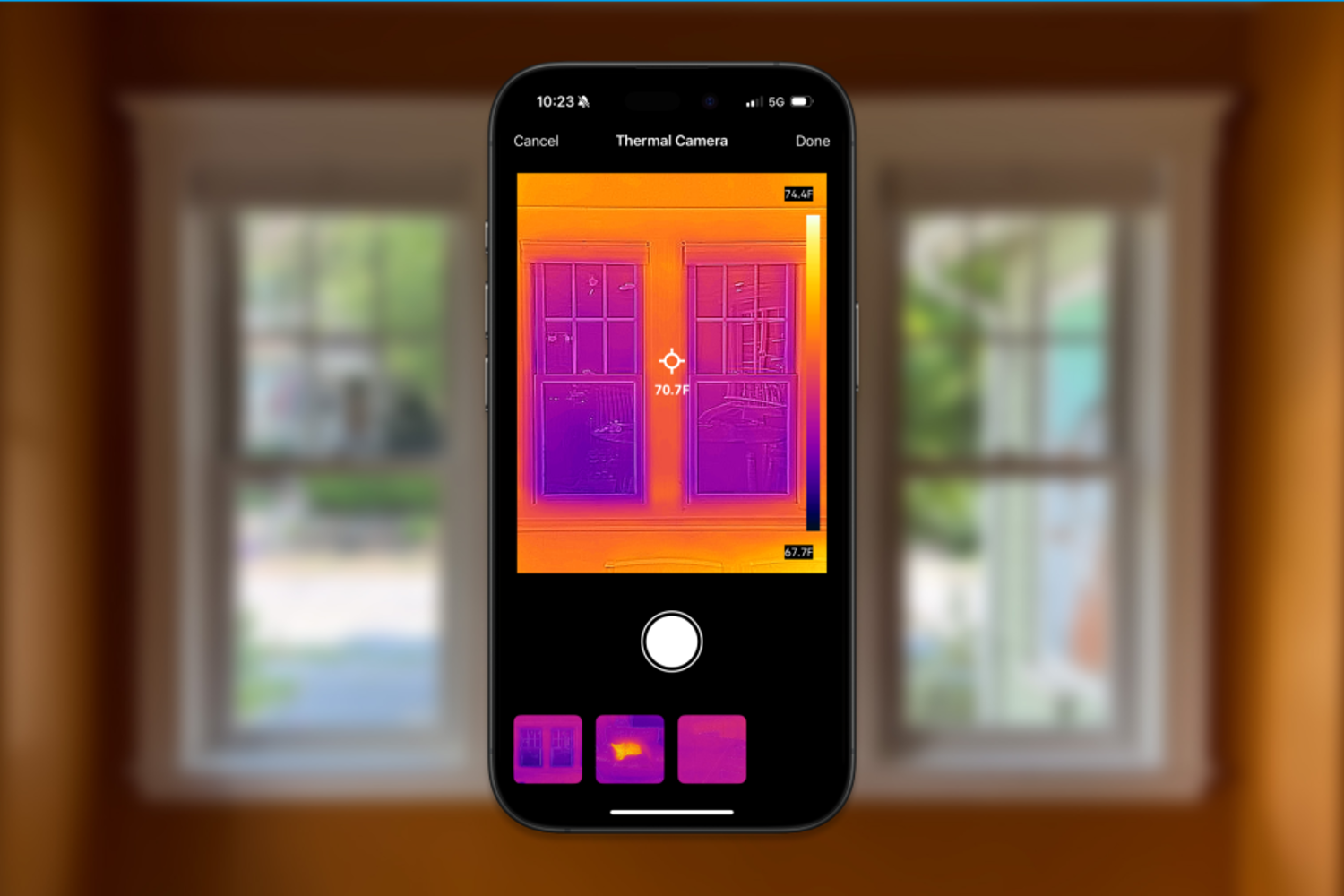
注:如需更多 FLIR ONE 支持资源,请访问 Support.FLIR.com。


Flir One® 系列
适用于 iOS® 和 Android 的 红外热像仪 和 Android 的 新型智能设备
无论您是需要检查配电板、查找暖通空调故障的根源,还是发现隐藏的水损坏,Flir One系列红外热像仪都能提供所需的精度、分辨率和灵敏度,帮助您快速发现问题并验证维修情况。
通过无线方式或通过直接端口连接将 Flir One 红外相机连接到智能设备,打开 Flir One 应用程序,即可开始成像。Flir One 系列相机具有独特的图像增强功能,包括 Flir VividIRpropyl 和 MSX®(多光谱动态成像),可提供快速诊断电气故障、发现空气泄漏和绝缘层缺失、准确测量温度等所需的一流热图像。
为何选择 Flir One 系列相机?
Flir One 系列相机采用 Flir VividIR 技术,可提供成像边缘。这种增强过程可将多幅图像结合在一起,提供锐度更高的最终热图像。

Flir One系列的另一个优点是移动应用程序兼容性。该相机不仅与提供分步检测指南的 Flir One 应用程序配对,而且还与针对特定检测应用量身定制的第三方应用程序配对。

更宽的温度范围可以让您检查并精确测量更高温度组件的温度,这对汽车的检验和资产状况监控非常重要。

Flir One 旧型号直接连接到智能手机或平板电脑,因此您可以单手检查。全新的 Flir Edge(原 Flir One Edge)系列红外热像仪具有无线连接功能,能够实现与 iPhone 和 Android 等移动设备的 Wi-Fi 连接。它可以让您更灵活性地检查难以进入或处于视线之外的区域。为了方便起见,您也可以将相机夹在移动设备上。

Flir One 相机提供点温仪等测量工具,帮助您精确定位物体的精确温度。激活受试者上的多个点测温仪,记录单个受试者的多个测量结果,并在同一图像内进行比较。

使用 Flir Edge 系列实现自由休息

使用 Flir Edge 系列实现自由休息

Flir Edge 系列,用于家庭检测

Flir One 应用程序入门

Flir MSX:了解差异
Flir MSX®(多光谱动态成像)可实时为热图像添加可见光细节,以更清晰地将边缘和轮廓细节嵌入热读数中。与图像融合(可见光和热图像合并)不同,MSX不会稀释热图像或降低热透明度。
图像显示无 MSX 与无 MSX

借助检测指南,放心使用您的 Flir Edge
Flir One 应用程序内置检测指南,可助您排查房屋周边的空气泄漏、保温层缝隙与湿气积聚问题,还可诊断汽车座椅、盘式制动器、除雾器及除霜装置等故障。

Flir One 移动应用程序,适用于您的独特应用
探索第三方应用程序的生态系统或自行开发
Flir One 兼容的移动应用程序可提供根据您的特定需求量身定制的检测、成像和报告解决方案。特色示例包括:
- Home Boost — 帮助房主发现导致能源账单增加的隐藏问题。
- iCertify — 用于现场的 BS7671 电气测试、检测和认证。
- Knauf Pro+ — 帮助审计空间计算绝缘需求并检测潜在的能量损失。
查看所有可用的应用程序,或者,如果您有兴趣开发应用程序或将热集成到应用程序中,请立即创建开发者帐户。

Flir Ignite新技术
利用 FLIR Ignite 云解决方案提高团队的效率和能力。从连接 Wi-Fi 的 FLIR 相机直接上传、整理和共享图像。将您的数据放在一个地方妥善保管,即可从任何设备轻松访问。
Article Listing
Which Camera Should I Choose?
Flir Edge Pro(前身为 FLIR ONE Edge Pro)
- 160 × 120 热分辨率
- 测量温度高达 400°C
- 可拆卸无线设计,最远可在 5 m 外进行远程检测
热分辨率
160 × 120(原始分辨率)
480 × 360(超分辨率)
电池寿命
大约 2 小时 30 分钟
测温范围
-20°C — 120°C 和 0°C — 400°C
Flir Edge(前身为 FLIR ONE Edge)
- 80 × 60 热分辨率
- 测量温度高达 120°C
- 可拆卸无线设计,最远可在 5 m 外进行远程检测
热分辨率
80 × 60(原始分辨率),240 × 180(超分辨率)
电池寿命
大约 2 小时 30 分钟
测温范围
-20°C 至 120°C(-4°F 至 248°F)
FLIR ONE® Pro
- 160 × 120 native resolution, 480 × 360 super resolution
- Measure temperatures up to 400°C (752°F)
- Flir OneFit adjustable height connector
热分辨率
160×120
电池寿命
约1小时
测温范围
-20°C — 120°C 和 0°C — 400°C
Flir One®(前身为 FLIR ONE® 第 3 代)
- 80 × 60 thermal resolution
- Measure temperatures up to 120°C (248°F)
- Flir OneFit 高度可调连接器
热分辨率
80 60×
电池寿命
约 1 小时
测温范围
-20°C — 120°C
热分辨率
160 × 120(原始分辨率)
480 × 360(超分辨率)
热分辨率
80 × 60(原始分辨率),240 × 180(超分辨率)
热分辨率
160×120
热分辨率
80 60×
电池寿命
大约 2 小时 30 分钟
电池寿命
大约 2 小时 30 分钟
电池寿命
约1小时
电池寿命
约 1 小时
测温范围
-20°C — 120°C 和 0°C — 400°C
测温范围
-20°C 至 120°C(-4°F 至 248°F)
测温范围
-20°C — 120°C 和 0°C — 400°C
测温范围
-20°C — 120°C
资源和支持


User Manual
FLIR ONE Pro Android 和 iOS 第 3 代用户手册

Selection Guide
FLIR ONE Pro系列对比彩页

Brochure
FLIR ONE Pro系列产品样本

Datasheet
FLIR ONE Pro Series 数据表
Datasheet
FLIR One 数据表
Datasheet
FLIR ONE Edge Series 数据表
Brochure
您需要测量什么?FLIR WDYNTM 产品手册
Datasheet
FLIR ONE Edge Pro 数据表

聊天
按下右下角的聊天气泡,立即与我们联系。
(当业务代表可用时)


电话支持
国际线路:
(+1) 805 392 3775
本地号码:
(+1) 844 283 5471
服务、维修和校准
美洲
服务中心联系人 |
电话 |
请求服务、维修或校准 |
给我们发送电子邮件 |
|---|---|---|---|
| 美国 |
免费电话:+1-866-274-2578 本地:1-603-324-7783 |
||
| Canada | 800 613 0507 | 提交 RMA | |
| 南美洲和中美洲 | 0800 878 2486 | ||
欧洲 |
|||
| Belgium | +32 (0)56 363 041 | ||
| 爱沙尼亚 | +3726063976 | ||
| 德国 | +49 (0)69 95 00 900 | ||
| 意大利 | +390294753491 | ||
| 瑞典 | +46 (0)8 753 23 64 | ||
| 阿拉伯联合酋长国 | 17-0882(2017年4月) | ||
| United Kingdom | +44 (0)1732 220 11 | ||
亚太地区 |
|||
| 澳大利亚 | +44 (0)1732 843 707 | ||
| 中国 | 400-683-1958 | ||
| 印度德里 | 2016年11月18日 | ||
| 印度法里达巴德 | +91 (129) 431-5031/32 | ||
| 日本 | |||
| 新加坡 | +65 3157 1750 | ||
| 韩国 | 2017 年 2 月 8 日 | ||
