


Note: For additional FLIR ONE support resources, please visit Support.FLIR.com.


Flir One® 시리즈
iOS® 및 Android™ 스마트 장치용 열화상 카메라
전기 패널을 검사하거나, HVAC 고장의 원인을 찾거나, 숨겨진 물 손상을 발견해야 하는 경우, Flir One 시리즈 열화상 카메라는 문제를 신속하게 식별하고 수리를 확인하는 데 필요한 정확도, 해상도 및 감도를 제공합니다.
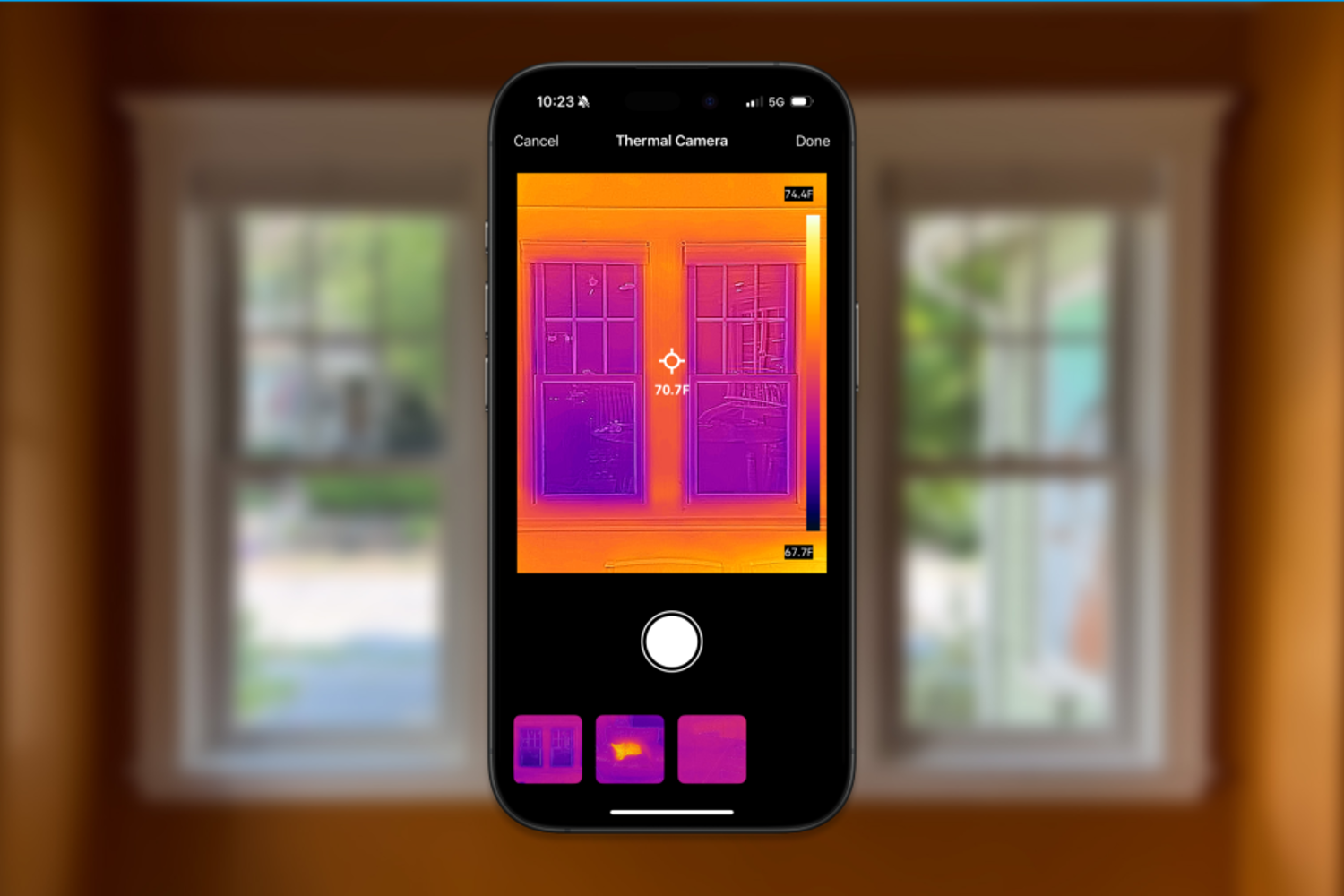
무선으로 또는 직접 포트 연결을 통해 Flir One 적외선 카메라를 스마트 장치에 연결하고, Flir One 앱을 열면 이미징을 시작할 준비가 됩니다. Flir VividIR™ 및 MSX®(Multi-Spectral Dynamic Imaging)를 포함한 고유한 이미지 향상 기능을 갖춘 Flir One 시리즈 카메라는 전기 결함을 신속하게 진단하고 공기 누출 및 누락된 절연을 찾고 온도를 정확하게 측정하는 데 필요한 동급 최고의 열화상 이미지를 제공합니다.
Flir One 시리즈 카메라를 선택해야 하는 이유
Flir One 시리즈 카메라는 Flir VividIR 덕분에 이미징 에지를 제공합니다. 이 향상 프로세스는 여러 이미지 프레임을 결합하여 더욱 선명한 최종 열화상을 제공합니다.

Flir One 시리즈의 또 다른 장점은 모바일 앱 호환성입니다. 카메라는 단계별 검사 가이드를 제공하는 Flir One 앱뿐만 아니라 특정 검사 애플리케이션에 맞춤화된 타사 앱과도 페어링됩니다.

온도 범위가 더 넓기 때문에 자동차 검사 및 자산 상태 모니터링에 중요한 고온 부품의 온도를 검사하고 정확하게 측정할 수 있습니다.

Flir One 레거시 모델은 스마트폰이나 태블릿에 직접 연결하여 한 손으로 검사할 수 있습니다. 새로운 Flir Edge(구 Flir One Edge) 시리즈 열화상 카메라는 무선 연결을 제공하여 iPhone 및 Android를 포함한 모바일 장치와 Wi-Fi를 연결할 수 있습니다. 이 제품은 접근이 어려운 영역이나 보이지 않는 영역을 검사할 수 있는 유연성을 제공합니다. 또한 편의를 위해 카메라를 모바일 장치에 고정할 수도 있습니다.

Flir One 카메라는 시험대상자의 정확한 온도를 정확히 파악하는 데 도움이 되는 스폿 미터와 같은 측정 도구를 제공합니다. 피험자에서 하나 이상의 스폿 미터를 활성화하여 단일 피험자에 대한 여러 측정값을 기록하고 동일한 이미지 내에서 비교를 수행합니다.

Flir Edge 시리즈로 휴식

Flir Edge 시리즈로 휴식

홈 검사용 Flir Edge 시리즈

Flir One 앱 시작하기

Flir MSX: 차이점 보기
Flir MSX®(Multi-Spectral Dynamic Imaging)는 열화상 이미지에 실시간으로 가시광선 세부 정보를 추가하여 선명도를 높이고 가장자리와 윤곽선을 열화상 판독값에 포매합니다. 이미지 융합(가시광선과 열화상 이미지의 병합)과 달리 MSX는 열화상 이미지를 희석하거나 열 투명성을 감소시키지 않습니다.
MSX가 없는 이미지와 MSX가 없는 이미지

Use Your Flir Edge With Confidence With Inspection Guides
The Flir One app includes inspection guides to help you find air leaks, insulation gaps, and moisture buildup around the house, or troubleshoot automotive issues with seats, disc brakes, defoggers, and defrosters.

고유한 애플리케이션을 위한 Flir One 모바일 앱
타사 앱의 환경 시스템을 탐색하거나 자체 개발
Flir One 호환 모바일 앱은 고객의 특정 요구에 맞는 검사, 이미징 및 보고 솔루션을 제공할 수 있습니다. 주요 예는 다음과 같습니다.
- 주택 부스트—주택 소유자가 에너지 비용을 높이는 숨겨진 문제를 찾을 수 있도록 도와줍니다.
- iCertify—현장의 BS7671 전기 테스트, 검사 및 인증용.
- Knauf Pro+—감사 공간을 도와 절연 요구를 계산하고 잠재적인 에너지 손실을 감지합니다.
사용 가능한 모든 앱을 확인하십시오. 앱을 개발하거나 앱에 Thermal을 통합하려면 지금 개발자 계정을 만드십시오.

Flir Ignite™
FLIR Ignite 클라우드 솔루션으로 팀의 효율성과 역량을 향상시켜 보십시오. Wi-Fi에 연결된 FLIR 카메라에서 직접 이미지를 업로드, 구성, 공유해 보십시오. 데이터를 한곳에 안전하게 보관하고 모든 기기에서 쉽게 액세스해 보십시오.
Article Listing
Which Camera Should I Choose?
Flir Edge Pro
HK$529.00
- 160 × 120 thermal resolution
- Measure temperatures up to 400°C (752°F)
- Detachable wireless design for remote inspections up to 5 m (16.4 ft)
Thermal Resolution
160 × 120 (native resolution)
480 × 360 (super resolution)
Battery Life
Approximately 2 hours 30 minutes
Object Temperature Range
-20°C — 120°C (–4°F — 248°F) and 0°C — 400°C (32°F — 752°F)
Flir One® Pro
HK$429.00
- 160 × 120 native resolution, 480 × 360 super resolution
- Measure temperatures up to 400°C (752°F)
- Flir OneFit adjustable height connector
Thermal Resolution
160 × 120 (native resolution)
480 × 360 (super resolution)
Battery Life
Approximately 1 hr
Object Temperature Range
-20°C — 120°C (–4°F — 248°F) and 0°C — 400°C (32°F — 752°F)
Flir Edge
HK$319.00
- 80 × 60 thermal resolution
- Measure temperatures up to 120°C (248°F)
- Detachable wireless design for remote inspections up to 5 m (16.4 ft)
Thermal Resolution
80 × 60 (native resolution), 240 × 180 (super resolution)
Battery Life
Approximately 2 hours 30 minutes
Object Temperature Range
-20°C to 120°C (-4°F to 248°F)
Flir One®
HK$214.00
- 80 × 60 thermal resolution
- Measure temperatures up to 120°C (248°F)
- Flir OneFit adjustable height connector
Thermal Resolution
80 × 60
Battery Life
Approximately 1h
Object Temperature Range
-20°C — 120°C (–4°F — 248°F)
Thermal Resolution
160 × 120 (native resolution)
480 × 360 (super resolution)
Thermal Resolution
160 × 120 (native resolution)
480 × 360 (super resolution)
Thermal Resolution
80 × 60 (native resolution), 240 × 180 (super resolution)
Thermal Resolution
80 × 60
Battery Life
Approximately 2 hours 30 minutes
Battery Life
Approximately 1 hr
Battery Life
Approximately 2 hours 30 minutes
Battery Life
Approximately 1h
Object Temperature Range
-20°C — 120°C (–4°F — 248°F) and 0°C — 400°C (32°F — 752°F)
Object Temperature Range
-20°C — 120°C (–4°F — 248°F) and 0°C — 400°C (32°F — 752°F)
Object Temperature Range
-20°C to 120°C (-4°F to 248°F)
Object Temperature Range
-20°C — 120°C (–4°F — 248°F)
리소스 및 지원

채팅
오른쪽 하단 모서리에 있는 채팅 버블을 눌러 즉시 당사와 연결하십시오.
(상담원이 있는 경우)


Phone Support
International Line:
(+1) 805 392 3775
Local Number:
(+1) 844 283 5471
Service, Repair and Calibration
Service Center Contact |
Phone |
Request Service, Repair, or Calibration |
Email Us |
|---|---|---|---|
| United States |
Toll Free: (+1) 866 477 3687 Local: (+1) 603 324 7600 |
||
| Canada | 800 613 0507 | Submit an RMA | |
| South & Central America | 0800 878 2486 |
Service Center Contact |
Phone |
Request Service, Repair, or Calibration |
Email Us |
|---|---|---|---|
| Belgium | +32 (0)56 363 041 | ||
| Estonia | +3726063976 | ||
| Germany | +49 (0) 69 95 00 900 | ||
| Italy | +390294753491 | ||
| Sweden | +46 (0) 8 753 26 54 | ||
| United Arab Emirates | +971 4 802 4999 | ||
| United Kingdom | +44 (0)1732 220 011 |
Service Center Contact |
Phone |
Request Service, Repair, or Calibration |
Email Us |
|---|---|---|---|
| Australia | +61 (0) 3 9550 2800 | ||
| China | +86 (0) 21-5169-7628 | ||
| India Delhi | +91 11 47212002 | ||
| India Faridabad | +91 (129) 431-5031/32 | ||
| Japan | 81-3-6721-6648 | ||
| Singapore | +65 8787 0884 | ||
| South Korea | (02)565-2724 |
